Steps to new a PlatformIO project, for NodeMCU board of Arduino framework, using library and example of ESP8266_SSD1306, to display on I2C SSD1306 OLED display. Tested on Windows 10/VirtualBox.
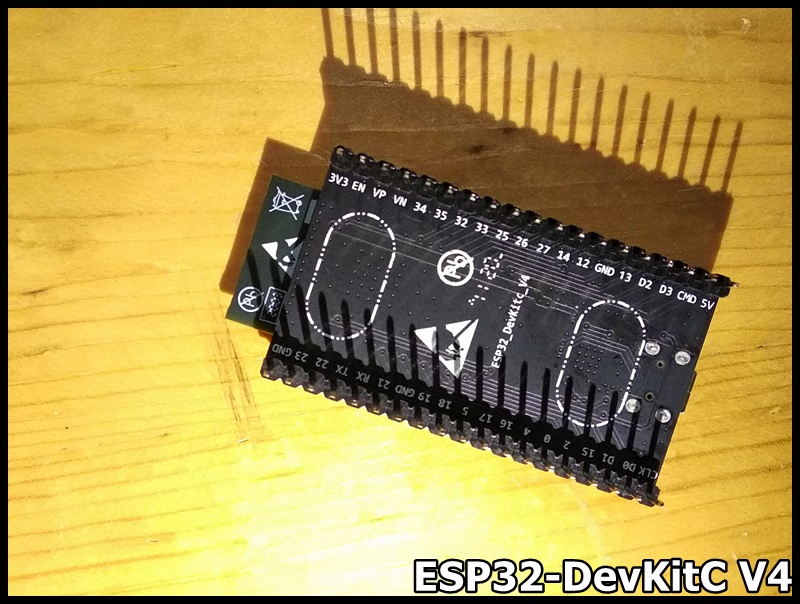
Just received ESP development boards from Espressif, ESP32-S2-Saola-1, ESP32-DevKitC V4, and ESP8266-DevKitC.
ESP32-S2-Saola-1 v1.2
ESP32-S2-Saola-1 is a small-sized ESP32-S2 based development board produced by Espressif. Most of the I/O pins are broken out to the pin headers on both sides for easy interfacing. Developers can either connect peripherals with jumper wires or mount ESP32-S2-Saola-1 on a breadboard.
To cover a wide range of users’ needs, ESP32-S2-Saola-1 supports:
ESP32-S2-WROVER
ESP32-S2-WROVER-I
ESP32-S2-WROOM
ESP32-S2-WROOM-I
The full model name of my board is ESP32-S2-Saola-1R, with chip embedded ESP32-S2-WROVER comes with a PCB antenna, 4 MB flash and 2 MB PSRAM.
ESP8266-DevKitC is an Espressif compact development board based on ESP8266 modules. All of the I/O pins of the module are broken out to the female header connectors on both sides of the board for easy interfacing. Developers can connect these pins to peripherals as needed.
My board named ESP8266DevKitC-02D-F, with module ESP-WROOM-02D, come with female header.
This video show how to install VS Code/PlatformIO IDE on Ubuntu 20.04 (run on Windows 10/VirtualBox), to program Arduino. And also set upload port in platformio.ini and add USB permission to user.
Close and restart VS Code to complete installation.
Now you can select PlatformIO on the left, and create a New Project. For Arduino Uno, steps refer to the above video.
May be you have to specify the upload port in platformio.ini. Open platformio.ini and add the code:
upload_port = /dev/ttyACM0
where /dev/ttyACM0 is the USB port.
Also have to add permission of the USB port to user. Enter the command in Terminal:
$ sudo usermod -a -G dialout <username>
$ sudo chmod a+rw /dev/ttyACM0
Steps to create a new project for NUCLEO-F401RE Board, using Arduino and Mbed framework.
Error: libusb_open() failed with LIBUSB_ERROR_ACCESS
To make PlatformIO run on Ubuntu, in addition to add USB permission to user as describe above, you have to install udev rules (99-platformio-udev.rules) also.
Enter the commands in Terminal:
$ curl -fsSL https://raw.githubusercontent.com/platformio/platformio-core/master/scripts/99-platformio-udev.rules | sudo tee /etc/udev/rules.d/99-platformio-udev.rules
$ sudo service udev restart
After this file is installed, physically unplug and reconnect your board.